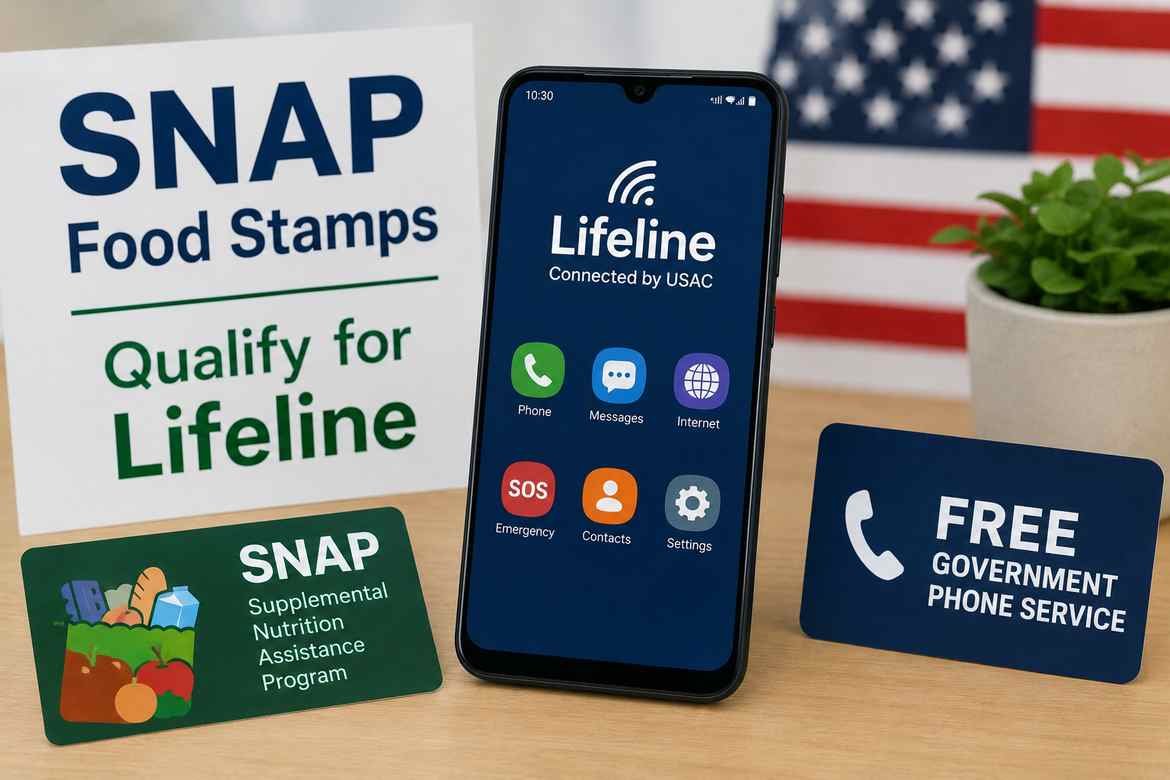
Yes. If you receive SNAP (Supplemental Nutrition Assistance Program) benefits, you may qualify for the federal Lifeline program. Lifeline can reduce the cost of qualifying phone or internet service for eligible households.
However, there is an important distinction: SNAP eligibility does not automatically mean the federal government will send you a free smartphone. Lifeline is a federal benefit, while the phone, service plan, and device offer are handled by participating phone or internet companies. Whether you receive a free device depends on the provider, your location, current inventory, and the provider’s offer.
That distinction matters because many websites use the phrase “free government phone” as shorthand for a phone service offer connected to Lifeline. Before applying, it is important to understand what SNAP qualifies you for, what Lifeline actually provides, and what you should verify with a participating provider.
Can SNAP Qualify You for a Free Government Phone?
SNAP can qualify you for Lifeline. USAC, which administers Lifeline, specifically lists SNAP among the federal assistance programs that can establish eligibility.
The process generally looks like this:
SNAP participation → Lifeline eligibility → approval → participating provider → qualifying service/device offer
The important point is that these are separate steps.
Being enrolled in SNAP can establish your eligibility for Lifeline, but it does not guarantee a particular phone model, smartphone, carrier, amount of data, or free-device offer.
What Is the Lifeline Program?
Lifeline is a federal program designed to make qualifying phone or internet service more affordable for eligible consumers.
USAC currently states that the standard Lifeline benefit can provide up to $9.25 per month toward qualifying phone, internet, or bundled service. The enhanced benefit for qualifying consumers living on Tribal lands can be up to $34.25 per month.
The amount applied to a specific service depends on the type of service and the provider’s offering. USAC’s FAQ distinguishes the standard benefit as up to $9.25 for internet or bundled service or up to $5.25 for phone-only service.
So when you see an advertisement for a “free government phone,” it is important to look beyond the headline.
The actual offer may consist of:
- Lifeline-supported wireless service
- A provider-supplied device
- A discounted service plan
- A phone offered at no additional device cost
- Or another provider-specific arrangement
The federal Lifeline program itself does not promise every eligible person a specific free smartphone.
Does Receiving SNAP Make You Eligible for Lifeline?
Yes. SNAP is one of the qualifying programs for Lifeline.
USAC specifically identifies the Supplemental Nutrition Assistance Program, commonly called SNAP or food stamps, as a qualifying government assistance program.
You generally do not need to qualify through both SNAP and income.
Lifeline eligibility can be established through either:
- Participation in a qualifying government assistance program, or
- Household income at or below the applicable Lifeline income threshold.
USAC’s application instructions also specifically list SNAP (Food Stamps) as a program applicants can select when establishing eligibility.
Other programs that may qualify
Depending on your circumstances, Lifeline eligibility may also be based on programs such as:
- Medicaid
- Supplemental Security Income (SSI)
- Federal Public Housing Assistance
- Veterans Pension and Survivors Benefit programs
- Certain Tribal assistance programs
USAC maintains the current eligibility list and documentation requirements.
Does SNAP Guarantee a Free Smartphone?
No. This is one of the most important things to understand.
SNAP can help establish your eligibility for Lifeline, but it does not guarantee that you will receive a free Samsung, iPhone, or any other specific smartphone.
The device portion of an offer is generally determined by the participating provider.
A provider may determine:
- Which phones are available
- Whether a phone is included
- Whether the phone is new or refurbished
- Which plans are available
- How much data is included
- Whether additional charges apply
- Whether a particular phone is available in your ZIP code
USAC directs consumers to its Companies Near Me tool to find Lifeline providers by ZIP code or city and state. It also notes that the tool may not show every company that offers Lifeline in a particular area, so consumers should confirm Lifeline availability directly with providers.
A better way to think about it
Instead of thinking:
“SNAP gives me a free phone.”
Think:
“SNAP may qualify me for Lifeline, and a participating provider may offer qualifying service and possibly a device.”
That distinction can prevent unrealistic expectations.
What Could You Receive?
Your actual offer depends on the participating provider and your location.
Possible benefits can include:
| Item | What to expect |
|---|---|
| Lifeline eligibility | SNAP can establish eligibility |
| Monthly service benefit | Federal Lifeline support is available to qualifying consumers |
| Phone service | Depends on participating provider |
| Smartphone | May be available from some providers |
| Specific phone model | Not guaranteed by Lifeline |
| Data allowance | Depends on provider and plan |
| Coverage | Depends on the provider/network |
| Device availability | Can vary by location and inventory |
| Extra charges | Must be checked with the provider |
Important: Do not assume that an advertisement for a “free government phone” means every eligible applicant receives the same device or plan.
Who Is Eligible for Lifeline Through SNAP?
If you or an eligible member of your household participates in SNAP, that participation can establish eligibility for Lifeline.
USAC states that a consumer may qualify through participation in a qualifying program or through income.
Income-based eligibility
If you don’t qualify through SNAP or another qualifying program, you may still qualify based on household income.
For 2026, USAC lists the Lifeline income standard at 135% of the Federal Poverty Guidelines.
For the 48 contiguous states, Washington, D.C., and applicable territories, the 2026 figures include:
| Household size | Maximum annual income |
|---|---|
| 1 | $21,546 |
| 2 | $29,214 |
| 3 | $36,882 |
| 4 | $44,550 |
| 5 | $52,218 |
| 6 | $59,886 |
| 7 | $67,554 |
| 8 | $75,222 |
| Each additional person | +$7,668 |
Alaska and Hawaii have higher thresholds.
These figures are time-sensitive. The Federal Poverty Guidelines are updated periodically, so readers should verify the current figures before applying.
How Household Size Works
One area that can cause confusion is the definition of a Lifeline household.
USAC defines a household as people who live together and share income and household expenses. Only one Lifeline benefit is generally allowed per household.
This does not simply mean “one benefit per address” in every situation.
For example, two unrelated adults could live at the same address but have separate economic households. In certain circumstances, a household worksheet may be required to establish that they are separate households.
Example
Suppose two roommates live in the same apartment.
- Roommate A receives SNAP.
- Roommate B does not.
- They share the same address but maintain separate finances and household expenses.
Roommate A may need to provide information showing the household situation if the Lifeline system identifies a duplicate-address issue.
The important lesson is: don’t assume that everyone at one address automatically counts as one Lifeline household, but don’t assume that everyone at one address can receive a separate Lifeline benefit either.
What Documents Might You Need?
Some applicants are verified automatically through government databases.
If your information cannot be verified electronically, USAC may ask you to provide supporting documentation.
For SNAP-based eligibility, you may be asked for documentation demonstrating participation in the qualifying program.
Depending on the situation, supporting documents may include official benefit documentation or other acceptable records.
USAC’s documentation guidance explains that applicants may also need to verify information such as:
- Identity
- Address
- Household information
- Program participation
- Income, when qualifying through income
Before you apply
Have accurate information available for:
- Your legal name
- Date of birth
- Residential address
- SNAP information
- Other required identity information
- Supporting eligibility documentation if requested
Do not submit altered or inaccurate documents.
How to Apply for a Lifeline Benefit With SNAP
There are three basic ways to apply for Lifeline.
USAC currently lists:
- Online
- Through a participating phone or internet company
- By mail
Step 1: Confirm Your SNAP Eligibility
Make sure your SNAP participation is current.
If the Lifeline system cannot automatically verify your participation, you may need to provide documentation.
Step 2: Apply for Lifeline
You can begin through the official Lifeline application process.
During the application, you identify how you qualify. The current application instructions specifically include SNAP/Food Stamps among the qualifying programs.
Step 3: Complete Identity and Eligibility Verification
The National Verifier checks information supplied with your application.
USAC says the system can automatically verify identity, address, and participation in qualifying programs using available databases. If the information isn’t found, additional documentation can be submitted for manual verification.
Step 4: Find a Participating Provider
After establishing eligibility, you need to connect your Lifeline benefit with a participating company.
USAC’s Companies Near Me tool lets consumers search by ZIP code or city and state.
This step is especially important because provider availability varies by location.
Step 5: Ask What Device and Plan Are Actually Included
Before accepting an offer, ask the provider:
- Is a phone included?
- What phone model is currently available?
- Is the device new or refurbished?
- How much data is included?
- Is talk and text included?
- Are there taxes or other charges?
- Is there an activation charge?
- Can I use my existing phone?
- Can I keep my current phone number?
- What happens if I switch providers later?
These questions can reveal differences that aren’t obvious from a “free phone” headline.
How to Find a Government Phone Provider With SNAP
The safest starting point is the official Lifeline provider search rather than an advertisement claiming that everyone qualifies for a particular phone.
USAC’s Companies Near Me tool allows you to search for Lifeline providers using your ZIP code or location.
Find Lifeline providers by ZIP code
Why your ZIP code matters
Two eligible SNAP recipients in different states may see completely different offers.
Availability can vary according to:
- State
- ZIP code
- Provider
- Network
- Current inventory
- Service type
- Current provider policies
Therefore, an article should never promise that a particular company will give every SNAP recipient a specific phone.
What Happens After You Apply?
There are several possible outcomes.
Your eligibility is verified
You can proceed with a participating provider and use the Lifeline benefit.
More information is requested
If the National Verifier cannot confirm your information automatically, you may be asked to submit supporting documentation.
Your application has an error
USAC provides procedures for resolving issues involving identity, address, duplicate households, and other verification problems.
For example, a duplicate-address issue may require a Household Worksheet when the applicant believes they are part of a separate economic household.
You are not approved
Review the reason for the decision and follow the appropriate verification or application process rather than submitting random information.
Common Reasons a Lifeline Application Can Run Into Problems
A “SNAP = free phone” assumption can make the process seem easier than it actually is.
Potential problems include:
- Information that doesn’t match government records
- Address verification problems
- Missing documentation
- Duplicate Lifeline benefits
- Household confusion
- Expired or insufficient documentation
- Applying with inaccurate information
- Choosing a provider that doesn’t serve your location
The National Verifier uses automated checks for identity, address, program participation, and duplicate benefits.
What If You Already Have a Phone?
You may not necessarily need a new phone.
One practical option is to ask the participating Lifeline provider whether you can use your existing compatible device.
This can be useful if:
- Your current phone works well
- You like your existing device
- You want to keep your photos and apps
- You don’t want to transfer everything to another phone
The provider should confirm whether your specific phone is compatible with its service.
What If You Want a Samsung or Another Specific Phone?
This is where many “free government phone” articles become misleading.
Lifeline eligibility does not guarantee a Samsung Galaxy, iPhone, or any other particular model.
If a provider offers a Samsung device, that is a provider/device offer, not a universal federal guarantee.
If getting a particular smartphone is important to you, ask the provider:
- What models are available today?
- Is the phone actually included with the Lifeline offer?
- Is it new, refurbished, or used?
- Is there a device charge?
- Is the phone locked?
- Is it compatible with the provider’s network?
- Are there any plan or activation requirements?
This is much more useful than assuming every “government phone” program provides the same smartphone.
Can You Keep Your Existing Phone Number?
Possibly, but this is a provider-specific question.
If keeping your number is important, ask the new provider about number transfer or porting before canceling your existing service.
Do not cancel the old service prematurely if you want to preserve your number.
Can You Switch Lifeline Providers?
Yes. USAC says consumers can transfer their Lifeline benefit to another company. You may need to reapply before the new company can complete the transfer.
The transfer process requires your consent, and the new provider must explain that the transfer will end the benefit with the previous company.
This can be useful if:
- Your current provider has poor coverage
- Your device stopped working
- Another provider has a better offer
- Your current plan doesn’t meet your needs
But compare the new offer carefully before switching.
Important Lifeline Rules to Know
Getting approved is not necessarily the end of the process.
Only one Lifeline benefit per household
USAC states that only one Lifeline benefit is allowed per household.
You may need to recertify
Lifeline subscribers may be required to confirm that they remain eligible.
USAC describes recertification as an annual process for eligible subscribers in the National Verifier system.
Keep using your service
For free Lifeline-supported service, non-usage rules can matter. USAC states that subscribers who do not use qualifying service for 30 consecutive days must receive notice and can be de-enrolled if they do not cure the non-usage during the applicable notice period.
That means someone shouldn’t simply put a free phone in a drawer and forget about it.
Report important changes
USAC says consumers should notify their provider if they move, no longer qualify, or another household member receives Lifeline.
Common Mistakes to Avoid
1. Assuming SNAP automatically gives you a phone
SNAP can establish Lifeline eligibility, but the device offer comes from the participating provider.
2. Trusting a specific phone model without checking
A provider’s current inventory can change.
3. Applying with inaccurate information
The Lifeline eligibility system verifies applicant information.
4. Ignoring household rules
Only one Lifeline benefit is generally allowed per household.
5. Assuming every provider operates everywhere
Use your ZIP code to determine which providers actually serve your area.
6. Forgetting about ongoing eligibility
Lifeline isn’t simply a one-time approval. Recertification and continued eligibility requirements can apply.
7. Confusing Lifeline with the former ACP
The Affordable Connectivity Program should not be presented as an active general enrollment program without current authoritative confirmation. This article focuses on Lifeline, which is the relevant federal program for the SNAP-based eligibility question.
Practical Examples
Example 1: SNAP recipient looking for basic phone service
Maria receives SNAP and wants affordable wireless service.
She applies for Lifeline and is verified as eligible.
She then checks participating providers serving her ZIP code.
One provider may offer a qualifying service plan that fits her needs. Whether that provider also offers a free smartphone must be confirmed directly with the provider.
Key point: SNAP establishes eligibility; the provider determines the available service/device offer.
Example 2: SNAP recipient wants a Samsung phone
James receives SNAP and specifically wants a Samsung Galaxy.
He qualifies for Lifeline, but that does not mean Lifeline guarantees him a Samsung phone.
He should compare participating providers in his ZIP code and ask which devices are currently available.
If no Samsung device is included, he can ask whether he can use his existing compatible phone with the Lifeline service.
Example 3: Two adults at one address
Two adults live together and both believe they should receive a Lifeline benefit.
The Lifeline rules generally limit benefits to one per household. If they believe they are separate economic households, they may need to complete additional household documentation.
What If a Free Phone Isn’t Available?
If you qualify for Lifeline but a provider isn’t offering the particular device you want, you still have several options.
Option 1: Use your existing compatible phone
Ask the provider whether your device can be used with its service.
Option 2: Compare another participating provider
Use the official provider search to identify other companies serving your area.
Option 3: Consider a low-cost unlocked phone
Instead of focusing only on a “free phone,” compare the total cost of ownership.
A modest unlocked Android phone combined with affordable Lifeline-supported service may be a better long-term choice than accepting a device you don’t want.
Option 4: Wait and compare current device availability
Provider inventory can change, so a particular device may not always be available.
Is a Free Government Phone With SNAP Worth It?
For someone who qualifies for Lifeline and needs affordable connectivity, it can be a useful option.
The most important question isn’t simply:
A better question is:
“Which Lifeline provider gives me the best combination of service, coverage, device availability, and overall cost in my ZIP code?”
Before choosing a provider, compare:
| What to compare | Why it matters |
|---|---|
| Monthly cost | A “free phone” doesn’t necessarily mean every service is free |
| Talk/text | Important for everyday communication |
| Data | Especially important for smartphone users |
| Network coverage | A cheap plan is less useful if coverage is poor |
| Device | Verify the exact model being offered |
| Device condition | Determine whether it is new or refurbished |
| Number transfer | Important if you want to keep your number |
| Extra charges | Ask about activation or other fees |
| Provider support | Useful if the phone or service has problems |
Final Takeaway
SNAP can qualify you for the federal Lifeline program, which can make qualifying phone or internet service more affordable. But SNAP does not automatically guarantee a free smartphone.
The most reliable path is:
1. Confirm your SNAP eligibility → 2. Apply for Lifeline → 3. Complete verification → 4. Find a participating provider → 5. Compare the actual phone and service offer.
Start with the official Lifeline application information
And if you’re specifically looking for a free smartphone, don’t stop at the words “free government phone.” Check the exact device, service, data, fees, coverage, and provider terms before accepting an offer.
FAQ
Can I get a free government phone if I receive SNAP?
SNAP can make you eligible for Lifeline, but it does not guarantee a free smartphone. A participating provider determines what phone and service offers are available in your area.
Does SNAP automatically qualify me for Lifeline?
SNAP is one of the qualifying programs for Lifeline. You still need to apply and complete the required eligibility verification.
How much does Lifeline provide?
The standard Lifeline benefit can be up to $9.25 per month for qualifying internet or bundled service, while USAC lists up to $5.25 for phone-only service. Qualifying Tribal-land consumers may receive an enhanced benefit of up to $34.25.
Can I get a free Samsung phone with SNAP?
Possibly, depending on the participating provider and current device inventory. Samsung is not a guaranteed federal Lifeline device. Check the provider’s current offer before applying or switching.
Can I choose which phone I receive?
Not necessarily. Device selection depends on the participating provider’s current inventory and terms. Ask which models are currently available before accepting an offer.
Can I use my existing phone with Lifeline?
Possibly. Ask the participating provider whether your existing phone is compatible with its network and service.
Can two people in the same home get Lifeline?
Generally, only one Lifeline benefit is allowed per household. A household is based on people living together who share income and household expenses. Separate economic households at the same address may have additional documentation requirements.
Is the Affordable Connectivity Program still available for new applicants?
The ACP should not be treated as a currently active general enrollment program without checking current official FCC/USAC information. Lifeline is the federal program relevant to the SNAP eligibility discussed in this article.
