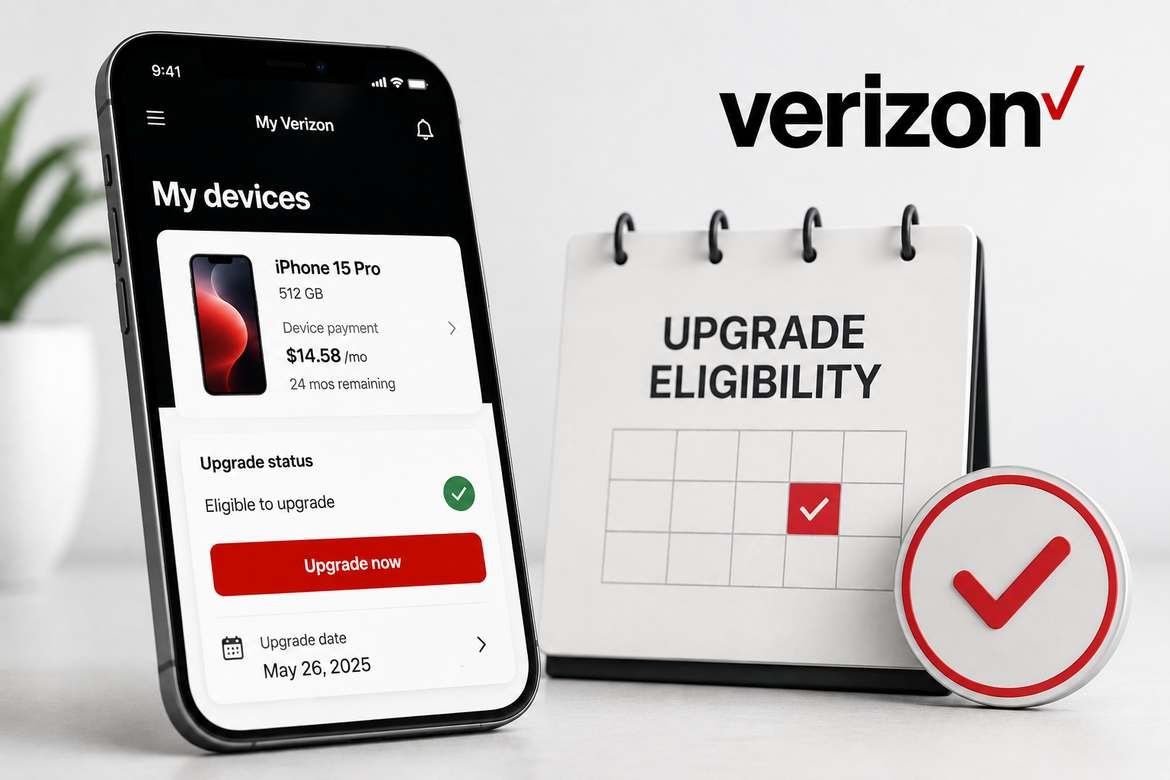
f you’re wondering whether you’re eligible for a Verizon phone upgrade, the quickest answer is usually found in My Verizon. Verizon’s current support instructions say you can open your device overview, find your phone, and look for “Upgrade now.” If the device isn’t immediately marked eligible, selecting it and choosing “Check Upgrade Options” can show the applicable upgrade eligibility date or options.
However, seeing an upgrade option doesn’t necessarily mean every upgrade will be free or that you’ll automatically qualify for every promotional deal. Your device payment status, account status, upgrade program, trade-in requirements, and current Verizon offers can all affect what you can do.
Here’s how Verizon upgrade eligibility works and what to check before replacing your phone.
How Do I Check Verizon Upgrade Eligibility?
To check your Verizon upgrade eligibility:
- Sign in to My Verizon.
- Open the Device overview section.
- Find the phone you want to replace.
- Look for “Upgrade now.”
- If that option isn’t shown, select the device and choose “Check Upgrade Options.”
- Review your device payment status and the upgrade options Verizon displays.
Verizon specifically identifies the “Upgrade now” option for eligible devices and provides an upgrade-date option for devices that aren’t currently eligible.
Check Verizon’s current upgrade support information
What Does Verizon Upgrade Eligibility Mean?
Verizon upgrade eligibility determines whether you can replace the device currently connected to a line on your account under Verizon’s available upgrade options.
An upgrade is different from simply buying a phone at full retail price.
For example, Verizon says a customer can upgrade a device purchased at retail price at any time, assuming the account requirements are met. For a device purchased through a device payment agreement, additional conditions apply. These can include paying off the existing agreement or qualifying for an early-upgrade option.
That’s why someone can sometimes purchase a new phone but still see that their current device isn’t eligible for a normal device-payment upgrade.
What Are the Verizon Upgrade Requirements?
There isn’t one universal rule that applies to every Verizon customer.
Your available upgrade options can depend on several factors.
Your account status
Verizon’s current upgrade FAQ says your account must not be past due when upgrading a device.
So if you’re trying to upgrade and something isn’t working, checking your account balance and pending account changes is worthwhile.
Your current device payment
If your existing phone was purchased through Verizon’s device payment program, you generally need to have the device fully paid off or qualify for an applicable early-upgrade program before using device payments for a replacement.
Verizon currently describes standard smartphone device payments as 36 monthly installments, although other device-payment options can exist under specific Verizon plans or programs.
Your early-upgrade program
Some Verizon customers have access to early-upgrade programs with different rules.
For example, Verizon’s current Early Upgrade Program requires an eligible device, at least 30 days since purchase, payment of at least 50% of the device’s retail price, and return of the eligible device in good working condition. Additional program requirements apply.
That is not the same thing as standard upgrade eligibility.
How to Check Verizon Upgrade Eligibility in My Verizon
My Verizon is the most useful place to check the current status of a device on your account.
Step 1: Sign in to My Verizon
Sign in to your Verizon account through the website or My Verizon app.
Step 2: Open your device information
Go to the area showing the devices associated with your account.
Step 3: Select the phone you want to replace
Look for the specific line and device you’re interested in upgrading.
Step 4: Look for “Upgrade now”
Verizon says eligible devices display an “Upgrade now” option in the Device overview.
Step 5: Check the upgrade options
If the device isn’t immediately eligible, select it and look for “Check Upgrade Options.”
This can help you determine whether you have an upcoming eligibility date or another option available for the device.
Important: Verizon’s website and app can change, so the exact menu names or screen layout may look different over time.
How to Find Your Verizon Upgrade Date
If you’re waiting for a particular date before upgrading, My Verizon is the best place to check rather than relying on a generic timetable.
Verizon’s current instructions say that if a device isn’t eligible, you can select the device and use “Check Upgrade Options” to find its upgrade eligibility date.
Your upgrade date can be different from another Verizon customer’s date because device payment agreements, purchase dates, upgrade programs, and account circumstances can differ.
Can You Upgrade a Verizon Phone Before It’s Paid Off?
Sometimes, yes.
There are several different situations to understand.
Option 1: Pay off the device
If your device has an outstanding payment balance, paying off the agreement can make the device eligible for an upgrade.
But there’s an important catch: Verizon says that when you pay off a device agreement, monthly promotional credits on that device stop.
So don’t automatically pay off your phone simply because you see an upgrade opportunity.
First, check whether you’re receiving monthly bill credits and determine what happens to those credits if you pay the balance early.
Option 2: Use an eligible early-upgrade program
Certain Verizon programs allow qualifying customers to upgrade before completing all standard device payments.
For example, Verizon’s current Early Upgrade Program allows qualifying eligible devices to be upgraded after at least 30 days and payment of at least 50% of the retail price, provided the original device is returned in acceptable condition and the other requirements are met.
Option 3: Use a qualifying Verizon upgrade subscription
Verizon also has Flex Upgrade and Simplicity-related upgrade programs with their own requirements.
Current Verizon documentation describes eligibility involving an eligible plan, a 36-month device payment arrangement, and at least 33% of the device payment balance paid for the applicable programs.
Because these programs can change, check the current Verizon terms before making a decision.
Verizon Early Upgrade: What You Need to Know
Early upgrade is particularly important for people who don’t want to wait until their normal device payment agreement is completely finished.
Verizon’s current Early Upgrade Program has several conditions, including:
- The device must be eligible for the program.
- At least 30 days must have passed since purchase.
- At least 50% of the phone’s retail price must have been paid.
- The phone must be returned after upgrading.
- The returned phone must meet Verizon’s condition requirements.
- Your account must be in good standing.
- The replacement device must meet the applicable program requirements.
The eligible-device list is also specific. Verizon’s current terms list certain iPhone models and purchase-date requirements, meaning you should not assume that every Verizon smartphone qualifies for early upgrade.
See Verizon’s current Early Upgrade Program terms
What Happens to Your Remaining Device Balance?
This is one of the most important questions to answer before upgrading.
There are several possible outcomes.
| Situation | What can happen |
|---|---|
| Device is fully paid off | You can proceed with an eligible upgrade |
| Device still has a balance | You may need to pay it off or qualify for an early-upgrade option |
| Qualifying early upgrade | Verizon may settle the remaining balance after the required device return and other conditions are satisfied |
| You pay the device off early | Monthly promotional credits may stop |
| You don’t return a phone required for early upgrade | The remaining balance may become due |
Verizon’s current early-upgrade terms state that after the qualifying device is returned and the conditions are satisfied, Verizon agrees to acquire the eligible device and settle the remaining balance under the original device payment agreement.
The key point is that “eligible for an upgrade” does not automatically mean “Verizon will pay off my phone.” The exact program you’re using matters.
Does Verizon Upgrade Eligibility Affect Trade-In Deals?
Upgrade eligibility and trade-in eligibility are related, but they aren’t the same thing.
A phone can potentially be eligible for an upgrade while a particular promotional trade-in offer has additional requirements.
Verizon’s trade-in terms explain that promotional credits can depend on continuing to satisfy the promotion’s requirements. The credits can be affected by actions such as changing to an ineligible plan or paying off a device agreement early.
Before accepting a trade-in promotion, check:
- Which device is eligible
- Required plan
- Whether a new line or upgrade is required
- Whether a number must be transferred from another carrier
- Required device condition
- Promotional credit period
- What happens if you change plans
- What happens if you pay off the device early
Don’t judge a phone offer only by its advertised headline discount.
Can You Transfer Verizon Upgrade Eligibility to Another Line?
In some circumstances, yes.
Verizon’s current support documentation describes a feature that allows upgrade eligibility to be transferred between eligible devices on the same Verizon account. When transferred, one device loses eligibility and the other gains it.
Verizon also states that the device receiving the transferred eligibility takes on the payment-contract end date associated with the original eligible device.
If the Transfer Upgrade option isn’t displayed, Verizon says you may not qualify for the transfer or may not have an eligible device available.
This can be particularly useful for families with multiple lines when one phone is ready for an upgrade and another isn’t.
Verizon Upgrade Eligibility Examples
Example 1: Your phone is completely paid off
Suppose your device payment agreement has been completed.
If your account meets Verizon’s requirements, that device can be upgraded. Verizon says a paid-off device is eligible for an upgrade.
Example 2: You still owe money
If your phone still has an outstanding balance, you may not have normal device-payment upgrade eligibility yet.
Your choices could include waiting, paying off the balance, or checking whether an early-upgrade option is available.
Example 3: You’re eligible for an early upgrade
If your phone and account qualify for Verizon’s applicable early-upgrade program, you may be able to replace the device before making all scheduled payments.
However, you’ll generally have to follow the program’s return and device-condition requirements.
Example 4: Your account has a pending order
A pending order can also interfere with an online upgrade.
Verizon says pending orders must be completed or removed before upgrading a device online.
What If My Verizon Upgrade Eligibility Isn’t Showing?
If you’re expecting an upgrade but don’t see “Upgrade now,” check these items:
- Is the device fully paid off?
- Has your upgrade eligibility date arrived?
- Is there a remaining device balance?
- Does your device qualify for an early-upgrade program?
- Is your Verizon account current?
- Is there a pending order on the account?
- Are you checking the correct line?
If you’re still unsure, select the device in My Verizon and review Check Upgrade Options.
What Should You Check Before Upgrading?
Before clicking the final order button, take a few minutes to compare the actual cost.
1. Your remaining device balance
Know exactly how much you still owe.
2. Promotional credits
If you’re receiving monthly credits, determine whether paying off or replacing the device will affect them. Verizon explicitly says paying off a device can stop monthly promotional credits.
3. Trade-in requirements
Check whether the promotional offer requires a specific device, plan, line, or trade-in condition.
4. Your new device payment
Calculate the monthly device payment and the total device cost.
5. Your wireless plan
A phone upgrade doesn’t necessarily require you to change plans. Verizon says customers can choose to keep their current plan or explore another plan during the upgrade process.
6. Upgrade fees
Verizon’s current documentation says an upgrade fee may apply. Verizon’s glossary currently states that a one-time $40 fee may apply, while certain Simplicity customers may have activation and upgrade fees waived or credited. Because fees and promotions can change, verify the amount shown during checkout.
7. Return requirements
If you’re using an early-upgrade program, understand exactly when and how the old phone must be returned.
Is Verizon Upgrade Eligibility the Same as Being Able to Buy a New Phone?
No.
This distinction is easy to miss.
You may be able to purchase a new phone at full retail price even when your current device isn’t eligible for a standard device-payment upgrade.
Verizon says a device purchased at retail price can be upgraded at any time, while device-payment upgrades have additional eligibility requirements.
So when My Verizon says you’re not eligible, that doesn’t necessarily mean you’re forbidden from getting another phone. It may simply mean you don’t currently qualify for that particular upgrade/payment option.
Final Takeaway
Verizon upgrade eligibility is best understood as a device- and account-specific status, not a universal date that applies to every customer.
The fastest way to check is to sign in to My Verizon, open your device overview, and look for “Upgrade now.” If it isn’t available, select the device and use “Check Upgrade Options” to see whether Verizon provides an eligibility date or another path to upgrade.
Before upgrading, don’t look only at whether you’re eligible. Also check your remaining device balance, promotional credits, trade-in requirements, plan, fees, and return obligations.
That extra step can prevent an upgrade from becoming more expensive than expected.
Check Verizon’s current device-upgrade FAQ
FAQ
1. How do I check my Verizon upgrade eligibility?
Sign in to My Verizon and open the Device overview section. Eligible devices should show “Upgrade now.” If the option isn’t shown, select the device and choose “Check Upgrade Options” to see the applicable eligibility information.
2. What does Verizon upgrade eligibility mean?
It means Verizon has determined that the device on a particular line qualifies for an available upgrade option. The specific option can depend on your device payment status, account status, and applicable upgrade program.
3. Can I upgrade my Verizon phone if I still owe money?
Possibly. You may need to pay off the remaining device balance, or you may qualify for an early-upgrade program. Verizon’s current early-upgrade programs have specific device, payment, account, and return requirements.
4. Does paying off my Verizon phone make me eligible for an upgrade?
A paid-off device is eligible for an upgrade under Verizon’s standard device-payment rules, assuming other account requirements are satisfied. However, paying off a device can stop monthly promotional credits attached to that device.
5. What is Verizon’s early upgrade program?
Verizon’s current Early Upgrade Program allows qualifying customers with eligible devices to upgrade before completing the original payment agreement. Current terms include at least 30 days since purchase, payment of at least 50% of the retail price, and return of the eligible phone in good working condition.
6. Can I transfer Verizon upgrade eligibility to another line?
Verizon currently provides a transfer option for certain eligible devices on the same account. The eligible device gives up its upgrade eligibility while the other device receives it, subject to Verizon’s requirements.
7. Why does Verizon say I’m not eligible for an upgrade?
Common reasons include an unpaid device balance, an upgrade date that hasn’t arrived, account issues, program restrictions, or a pending order. Check the device in My Verizon and select “Check Upgrade Options” for the most relevant status.
8. Will upgrading my Verizon phone automatically change my plan?
Not necessarily. Verizon says the upgrade process can give you the option to keep your existing plan or explore another plan.
