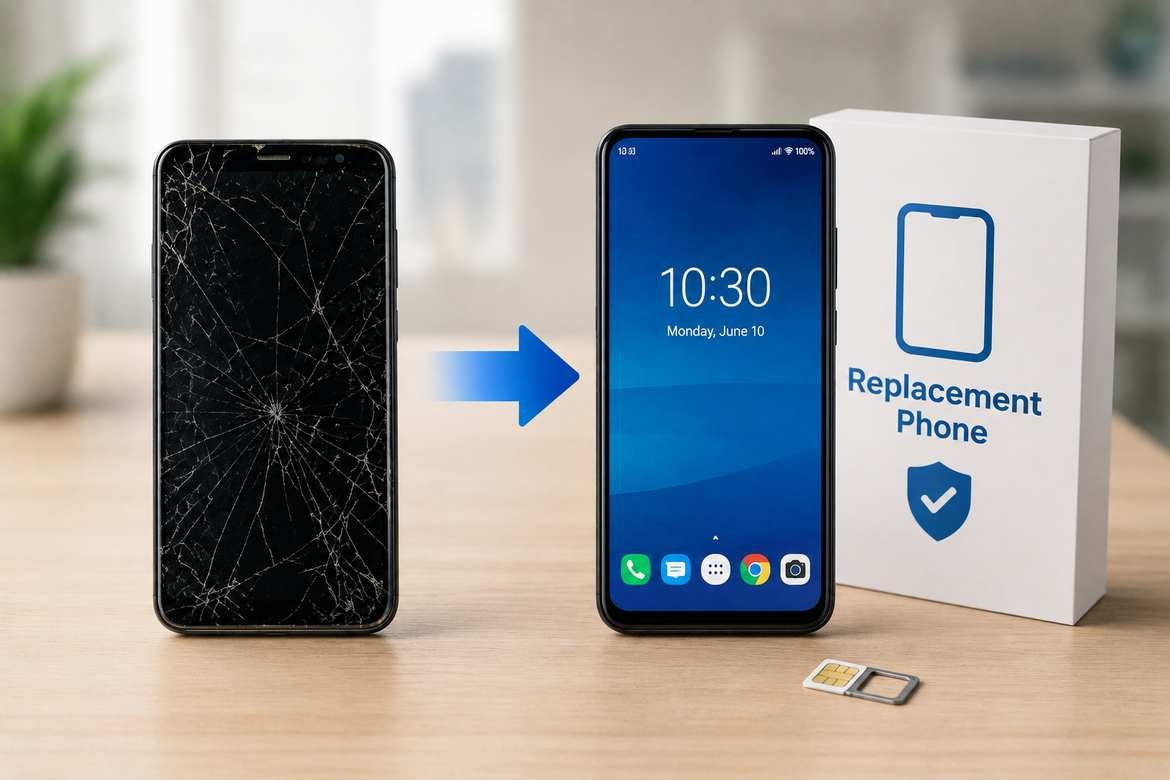
If your Lifeline-supported government phone is lost, stolen, or broken, you may be able to get a replacement, but there is no universal federal rule requiring every provider to give you a free replacement phone.
The most important step is to contact your Lifeline provider as soon as possible. Your provider controls the device, account, suspension, activation, and replacement process. Some providers offer replacement options, while others may charge a fee or require you to purchase a compatible device. Policies can also differ by state and provider.
If the phone is lost or stolen, reporting it quickly can also help prevent unauthorized use of your account.
Can You Get a Government Phone Replacement?
Yes, potentially—but a replacement is not automatically free.
A Lifeline customer whose phone is lost, stolen, damaged, or malfunctioning should generally:
- Contact the provider immediately.
- Ask the provider to suspend the lost or stolen device/service, if appropriate.
- Ask whether the account qualifies for a replacement device.
- Find out whether there is a replacement fee, shipping charge, or other cost.
- Ask whether you can use your own compatible unlocked phone instead.
- Confirm that your phone number and Lifeline benefit will remain associated with the account.
The exact answer depends on the company providing your Lifeline service.
For example, Assurance Wireless currently says customers with lost or stolen phones should suspend their account and have 45 days to replace the phone or reactivate the old one before the service, phone number, and remaining balance can be permanently lost. Access Wireless has a different process and says customers may qualify for a replacement device or purchase another phone. Life Wireless currently says lost or stolen phones may be replaced through customer service for a stated replacement fee.
Bottom line: don’t assume that “government phone” means “free replacement phone.”
What Is a Government Phone Replacement?
The phrase government phone replacement usually refers to replacing a mobile phone provided or supported through a government assistance program, most commonly a carrier’s Lifeline service.
Lifeline itself is a federal benefit administered by the Universal Service Administrative Company (USAC) under FCC oversight. It helps eligible consumers reduce the cost of qualifying phone or internet service.
Importantly, Lifeline is a service benefit—not a federal guarantee of a particular phone model.
That distinction matters when replacing a device.
The government establishes the Lifeline program and eligibility rules, but the participating provider generally handles the customer’s:
- phone
- SIM or eSIM
- activation
- account
- service
- device replacement
- customer support
- device-specific policies
USAC specifically advises Lifeline consumers with questions about their phone, device, service, or bill to contact their phone or internet company.
What Should You Do If Your Government Phone Is Lost or Stolen?
If you cannot find your phone, don’t wait several days before contacting your provider.
1. Try to locate the phone
Before requesting a replacement, check whether the device can be located using the manufacturer’s device-finding service.
For an Android phone, Google’s device-finding tools may help locate, secure, or erase the device when configured appropriately.
If you believe the phone was stolen, consider your personal safety first. Do not confront someone yourself to recover it.
2. Contact your Lifeline provider
Tell the provider that the device is lost or stolen.
The provider may be able to suspend the account or device so that it cannot continue being used.
For example, Assurance Wireless instructs customers to suspend their account after losing a phone. Access Wireless and Life Wireless similarly tell customers to report lost or stolen phones promptly.
3. Ask about your replacement options
Don’t simply ask:
“Can I get another free phone?”
Ask more specific questions:
- Is my account eligible for a replacement?
- Is the replacement free?
- Is there a replacement fee?
- Is shipping extra?
- Can I use my own compatible phone?
- Can I keep my current number?
- Will my Lifeline benefit remain active?
- How long do I have to activate the replacement?
These questions can prevent unpleasant surprises.
4. Protect your accounts
If your lost phone was logged into email, banking, social media, or other important accounts, consider changing passwords and using the security tools provided by those services.
If the phone supported remote locking or erasing, consider using those features when appropriate.
What If Your Government Phone Is Broken?
A broken phone is different from a lost or stolen phone.
If the device has stopped working, first determine whether it is:
- completely dead
- physically damaged
- unable to charge
- suffering from a software problem
- experiencing a SIM/eSIM problem
- unable to connect to the network
- malfunctioning after an update
Check whether the phone is under warranty
Some providers distinguish between a defective phone and a phone damaged by the customer.
For example, Assurance Wireless currently states that certain broken phones within its applicable one-year warranty period may qualify for a free replacement, while phones outside that period may require a paid replacement. The replacement model may also differ from the original device.
This is why you should contact the provider before purchasing another phone.
Don’t assume physical damage is covered
A malfunction caused by a manufacturing defect may be treated differently from damage caused by:
- a cracked screen
- water exposure
- accidental drops
- misuse
- unauthorized modifications
The actual policy depends on the provider and device.
Is a Government Phone Replacement Free?
Sometimes, but not always.
This is one of the most important points to understand.
There is no single nationwide replacement price that applies to every Lifeline customer.
Provider policies can vary significantly.
| Situation | Possible outcome |
|---|---|
| Phone is lost | Suspension, paid replacement, customer-purchased phone, or another provider-specific option |
| Phone is stolen | Suspension and replacement options may be available |
| Phone has a manufacturing defect | Warranty replacement may be available |
| Phone is accidentally damaged | Replacement may cost money |
| Phone is outside warranty | Paid replacement may be required |
| Customer has a compatible phone | Provider may allow it, depending on policy |
| SIM/eSIM is damaged | Provider may replace the SIM/eSIM rather than the entire phone |
These are possible outcomes, not universal rules.
For example, current provider information shows different approaches: Assurance Wireless may charge for certain lost/stolen replacements, Access Wireless says some customers may qualify for replacement devices, and Life Wireless currently lists a replacement fee for many lost/stolen-device situations.
Why Replacement Policies Are Different
A common misconception is that the federal Lifeline program directly controls every phone replacement.
It doesn’t work that way.
Lifeline determines whether an eligible consumer can receive the Lifeline benefit. Participating providers then offer qualifying service and manage their own device-related policies within the applicable rules.
USAC says Lifeline provides an eligible consumer with a monthly benefit toward qualifying phone or internet service.
The provider is the party you normally need to contact about:
- a lost phone
- a stolen phone
- a broken phone
- replacement hardware
- SIM problems
- activation
- phone compatibility
- service interruptions
- account-specific device issues
USAC explicitly directs consumers to their provider for questions about their phone, device, service, and bill.
Government Phone Replacement: Lost vs. Stolen vs. Broken
The reason for the replacement can affect the outcome.
| Problem | First action | Possible replacement result |
|---|---|---|
| Lost | Contact provider and suspend service if advised | Replacement may be available, possibly for a fee |
| Stolen | Report immediately | Provider may suspend service and explain replacement options |
| Broken | Contact provider before buying another phone | Warranty or paid replacement may be available |
| Defective | Ask about warranty | Replacement may be covered under applicable warranty |
| Lost SIM | Ask provider about SIM replacement | SIM replacement may be possible without replacing the phone |
| Damaged SIM | Contact provider | A new SIM may solve the problem |
| Phone works but has software problems | Troubleshoot first | A replacement may not be necessary |
This distinction can save you money.
If only the SIM is damaged, for example, replacing the entire phone may be unnecessary.
What Happens to Your Phone Number?
Do not assume that getting another device automatically means getting another phone number.
Your number is generally associated with your wireless account and service rather than being permanently tied to one physical handset.
However, the exact process for moving your number to another device depends on the provider.
Before activating anything, ask:
“Can I keep my current phone number on the replacement phone?”
This is especially important if your number is used for:
- banking verification
- Social Security-related accounts
- medical appointments
- family communication
- two-factor authentication
- employment
- government services
Also avoid canceling your Lifeline service simply because your phone is broken or missing. Contact the provider first and find out what options are available.
Can You Use Your Own Phone as a Replacement?
Possibly.
Some Lifeline providers allow customers to use a compatible device they already own.
For example, Assurance Wireless currently says customers may purchase an Assurance-compatible device at retail or use a compatible device they already have.
Access Wireless likewise states that customers can purchase compatible phones or bring their own eligible device in certain circumstances.
But compatibility is provider-specific.
Before inserting your SIM or attempting activation, verify:
- the phone is compatible with the provider
- the phone is unlocked if required
- the provider supports the device
- the SIM/eSIM is compatible
- the phone supports the necessary network technology
- the provider allows BYOD for your particular service
Never assume that an unlocked phone automatically works with every Lifeline provider.
How to Request a Lifeline Phone Replacement
The basic process usually looks like this.
Step 1: Identify your provider
Look at:
- your previous emails
- account information
- the phone packaging
- your service documentation
- your online account
If you cannot remember the company, USAC provides tools for identifying Lifeline companies serving particular areas. Its Companies Near Me data is organized by ZIP code, city, county, and state.
Step 2: Contact customer service
Tell them exactly what happened:
“My Lifeline phone was lost and I need to know my replacement options.”
Or:
“My Lifeline phone stopped working and I want to check whether it is covered by the warranty.”
Step 3: Verify your account
The provider may ask for account information or other identifying information before making changes.
Have available, when applicable:
- your name
- phone number
- account information
- service address
- device information
- SIM information
- details about when the phone was lost or damaged
Step 4: Ask about costs
Before agreeing to a replacement, ask:
- Is the phone free?
- Is there a replacement fee?
- Is shipping charged?
- Is tax charged?
- Is the replacement new or refurbished?
- Is the model guaranteed?
- Can I use my own phone instead?
Step 5: Confirm activation
Once you receive the replacement, follow the provider’s activation instructions.
If you have trouble activating it, contact the provider rather than submitting another Lifeline application unnecessarily.
What Information Should You Have Ready?
The more information you can provide, the easier it may be for customer support to locate your account.
Prepare:
- Your current phone number
- Account number, if available
- Service address
- Name on the account
- Device model, if you know it
- IMEI, if available
- SIM information, if relevant
- Date the phone was lost, stolen, or damaged
Don’t post your account number, IMEI, identification documents, or other private information publicly in online forums.
What If You Don’t Know Your Lifeline Provider?
This is a common problem.
If you aren’t sure which company provides your Lifeline service, start with any paperwork, emails, or account information you received when your service was activated.
You can also use USAC’s official Lifeline resources to identify participating companies in your area. USAC’s current Companies Near Me dataset includes participating provider information by location, including ZIP code.
If you still cannot determine the provider, the Lifeline Support Center can help with program-related questions.
USAC currently lists the Lifeline Support Center at (800) 234-9473, with hours of 9 a.m. to 9 p.m. Eastern Time, seven days a week.
However, USAC says consumers should contact their phone or internet company for questions about their actual phone, device, service, or bill.
When Should You Contact USAC Instead of Your Provider?
Think of it this way:
Contact your provider for:
- lost phone
- stolen phone
- broken phone
- replacement device
- SIM/eSIM problems
- activation
- service problems
- device compatibility
- account-specific phone issues
Contact USAC/Lifeline Support for:
- Lifeline application questions
- eligibility questions
- documentation issues
- National Verifier problems
- benefit-related questions
- finding participating providers
- certain program-level issues
USAC specifically explains that the Support Center can assist with application status, qualification documents, companies in the area, benefit renewal, household worksheets, and certain account issues, while device and service questions should generally go to the provider.
What If the Provider Says You Don’t Qualify for a Replacement?
Don’t immediately assume that you have lost your Lifeline benefit.
A replacement phone and a Lifeline benefit are two different things.
You may still be eligible for Lifeline service even if the provider does not give you another free handset.
Ask whether you can:
- Purchase a compatible replacement phone.
- Use your own compatible device.
- Replace only the SIM/eSIM.
- Transfer your existing service to another compatible device.
- Keep your existing phone number.
- Continue receiving your Lifeline benefit.
This distinction is one of the most useful things to understand when dealing with a replacement.
Does Getting a Replacement Phone Mean Reapplying for Lifeline?
Not necessarily.
If you already have an active Lifeline benefit, replacing a damaged or lost device is generally a device/service-management issue handled with your provider.
Don’t submit a second Lifeline application simply because your phone stopped working unless your provider or USAC instructs you to do so.
Lifeline has a one-benefit-per-household rule, so submitting unnecessary applications can create confusion or duplicate-benefit issues.
Common Mistakes to Avoid
1. Waiting to report a stolen phone
If someone has access to your device, they may potentially use the service or information stored on it.
Report the loss or theft promptly.
2. Assuming every replacement is free
Provider policies vary.
Some providers may charge for lost or stolen devices, while warranty situations can have different treatment.
3. Buying a random unlocked phone
Unlocked does not automatically mean compatible.
Check with your provider before buying.
4. Canceling your Lifeline service
A missing device does not necessarily mean you need to abandon your existing service.
Contact the provider first.
5. Applying for Lifeline again unnecessarily
If your existing benefit is active, ask your provider how to replace or activate the device instead.
6. Assuming you will receive the same phone model
Replacement inventory can change.
Assurance Wireless, for example, states that its replacement model may not be identical to the original.
7. Sharing sensitive information publicly
Don’t post:
- Social Security numbers
- account passwords
- full identification documents
- account numbers
- verification codes
- IMEI numbers
on social media or public forums.
A Simple Example
Example: Maria has a Lifeline-supported smartphone. The phone falls and stops working.
Instead of immediately buying another phone, she:
- Checks whether the device can still turn on.
- Contacts her Lifeline provider.
- Gives the provider her account information.
- Asks whether the phone is covered by a warranty.
- Asks whether a replacement is free or paid.
- Asks whether she can use another compatible phone.
- Confirms that her existing phone number and service can remain active.
This approach can prevent her from paying for a replacement unnecessarily.
What If Your Phone Is Lost but You Find It Later?
Contact your provider before trying to resume service if you previously suspended the account.
For example, Assurance Wireless says customers who find their phone within its specified suspension period can contact customer care to reactivate service.
Other providers may use different deadlines and procedures.
The important point is to follow your provider’s instructions rather than assuming another company’s policy applies to you.
What If Your Replacement Phone Doesn’t Work?
If the replacement won’t activate:
Check the basics
- Restart the phone.
- Confirm the SIM is inserted correctly.
- Check whether the phone shows network service.
- Follow the provider’s activation instructions.
- Confirm that the device is compatible.
- Contact customer support if activation fails.
Don’t repeatedly attempt to create new accounts or applications while troubleshooting an existing Lifeline account.
Pros and Cons of Replacing Through Your Lifeline Provider
| Option | Advantages | Potential drawbacks |
|---|---|---|
| Provider replacement | Keeps you within the provider’s system | May involve a fee |
| Warranty replacement | May reduce replacement cost | Usually subject to warranty conditions |
| Buy compatible phone | More device choices | You pay for the phone |
| Use your own phone | May be cheaper if you already own one | Compatibility must be confirmed |
| Switch providers | May provide different device options | Requires understanding transfer/enrollment rules |
The best option depends on your provider, the condition of the phone, and whether you already own a compatible device.
The Most Important Thing to Remember
A Lifeline benefit is not the same thing as a free-phone guarantee.
Lifeline is a federal program that helps eligible consumers pay for qualifying phone or internet service. USAC currently says eligible consumers can qualify through income or participation in qualifying programs such as SNAP, Medicaid, SSI, Federal Public Housing Assistance, or Veterans Pension and Survivors Benefit programs.
The provider’s device policy determines what happens when the handset is lost, stolen, damaged, or defective.
So if you need a government phone replacement, start with your provider—not by submitting a new Lifeline application.
Final Verdict
If your government/Lifeline phone is lost, stolen, or broken, contact your provider immediately and ask specifically about replacement eligibility, fees, warranty coverage, and compatible-device options.
There is no nationwide rule saying every Lifeline customer automatically receives a free replacement handset. Current provider policies vary considerably. Some providers may offer replacement devices under certain circumstances, some may charge for replacements, and others may allow customers to use or purchase a compatible phone.
If you are unsure who your provider is or have a question about the Lifeline program itself, USAC’s Lifeline Support Center is an appropriate next step.
The safest strategy is simple: report the problem quickly, protect your account, verify the provider’s current policy, and confirm the total replacement cost before agreeing to anything.
FAQ
Can I get a free government phone replacement?
Sometimes, but not automatically. Replacement policies are determined largely by the Lifeline provider and the reason the phone needs replacing. Warranty defects may receive different treatment from lost, stolen, or accidentally damaged phones.
What should I do if my Lifeline phone is stolen?
Contact your provider immediately and ask them to suspend the service/device. This can help prevent unauthorized use. Then ask about replacement eligibility, fees, and the deadline for activating a replacement. Provider deadlines vary.
Can I replace my government phone with my own phone?
Possibly. Some Lifeline providers allow compatible customer-owned devices, but compatibility and BYOD rules vary. Confirm compatibility with your provider before buying or activating another phone.
Will I keep my phone number after replacing my Lifeline phone?
Often, the goal is to keep the existing service and number, but the exact process is provider-specific. Ask the provider to confirm that your current number will remain active before activating a replacement.
Do I have to apply for Lifeline again if my phone breaks?
Usually, a broken phone is a device/service issue rather than a reason to submit a new Lifeline application. Contact your current provider first. USAC advises consumers to contact their provider for questions involving their phone, device, service, or bill.
How much does a Lifeline replacement phone cost?
There is no single nationwide replacement price. Depending on the provider and circumstances, the replacement may be free, discounted, or subject to a replacement and/or shipping charge. Current provider policies demonstrate that costs can differ substantially.
What if my Lifeline provider won’t replace my phone?
Ask whether you can use a compatible phone you already own or purchase an eligible replacement device. If your problem concerns the Lifeline program rather than the physical device, USAC’s Lifeline Support Center can provide program-level assistance.
Who do I contact if I don’t know my Lifeline provider?
Start with your account documents or previous communications. You can also use USAC’s Lifeline provider resources and Companies Near Me information to identify participating companies in your area.
